Give reviewers context
Show the person, assignment and affected access so reviewers understand the impact of their decision.
 Limosaidentity
PLATFORM / ACCESS REVIEWS
Review access with a captured scope, clear responsibilities and the context to keep or revoke it. Follow removal decisions through remediation.
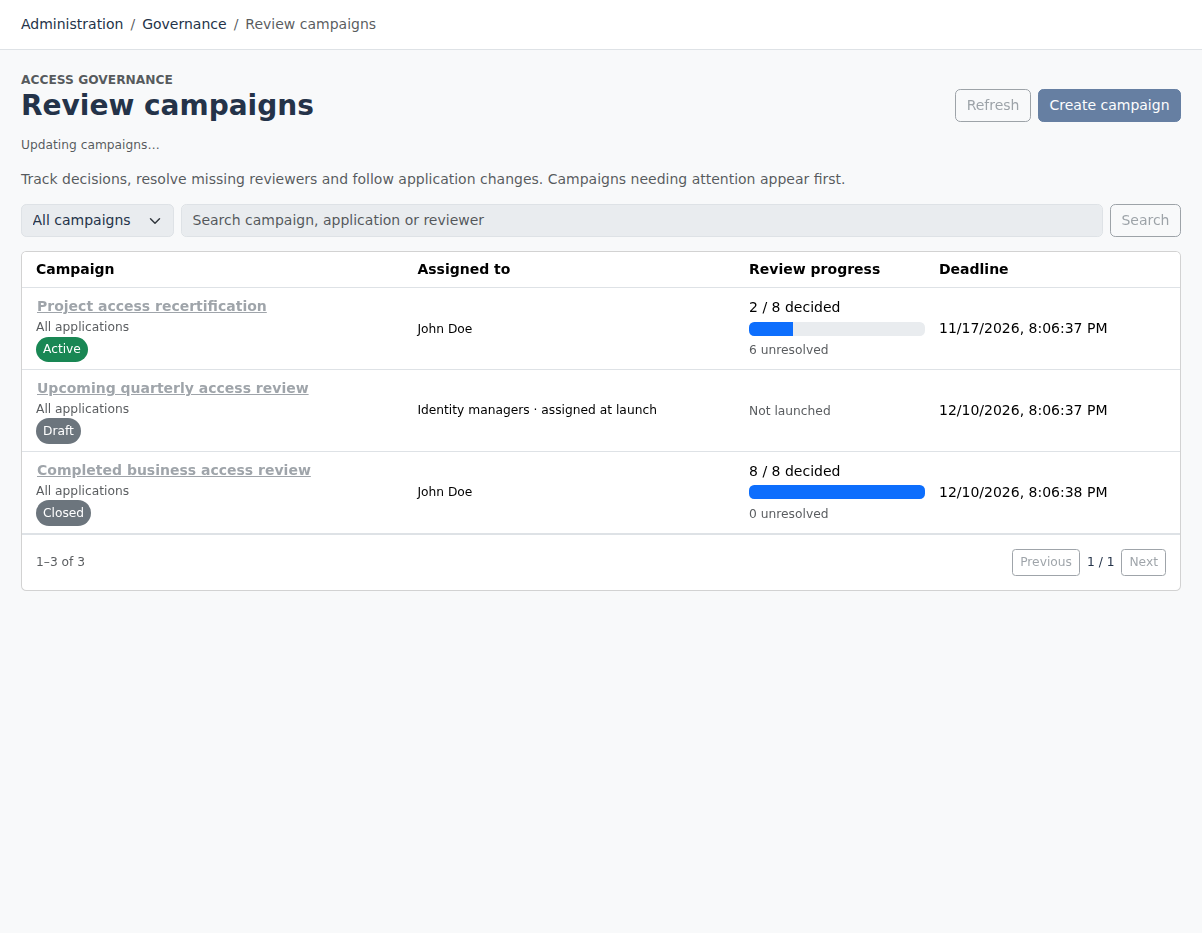
Create campaigns around role and direct entitlement assignments. Select the people and applications in scope, assign reviewers and set a deadline before launch.
WHAT YOUR TEAM CAN DO
Show the person, assignment and affected access so reviewers understand the impact of their decision.
Record keep or revoke decisions. Revocation includes confirmation of the affected person and access.
Retain the review decision alongside removal and fulfillment evidence. Launch campaigns manually when your organization is ready.
HOW IT FITS TOGETHER
People, roles and entitlements
Capture and assign reviews
Keep or revoke with context
Track removal and fulfillment
CAMPAIGN PREPARATION
Choose the assignments, people and applications to review, assign reviewers and set a deadline. Draft campaigns let administrators prepare the scope before launch captures the review records.
Campaigns launch manually. Reviewers see existing assignment context; keep and revoke decisions are recorded separately from downstream access removal.
Role assignments and configured policies define the desired state.
Requests and review decisions capture the human or policy decision.
Provisioning operations and manual tasks record progress and outcomes.
Aggregation and read-back provide evidence of the target state.
A recorded approval does not establish that provisioning succeeded. Compare the execution result with observed access.
FULL AI SUPPORT
Operate and configure Limosa through an MCP-compatible AI assistant. The full management interface is available to AI, with the same permissions, validation and audit trail as the web workspace.
Start with https://identity.limosa.io/mcp. No existing Limosa account needed: sign in and create your workspace when prompted.
YOUR NEXT STEP
Explore the public demo or bring your applications and governance questions to a guided conversation.